What the check covers in detail
The app connects the physical label, QR code recognition, the actual e-label destination page, and value matching in one clear workflow.
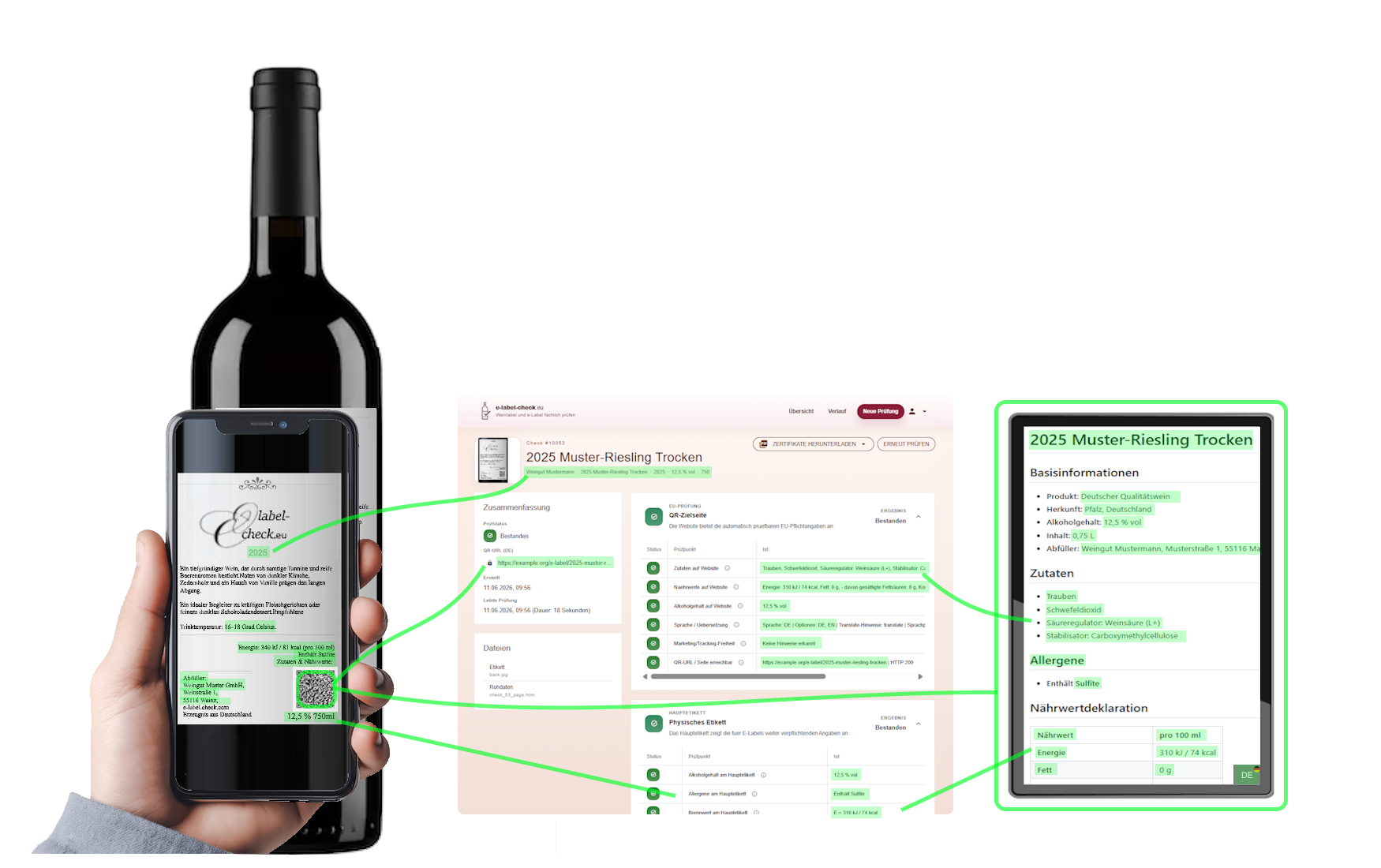
Four check areas that make approvals faster, cleaner, and easier to trace.
This page does more than list what is checked. It shows why it matters in day-to-day work: label, QR destination, value matching, and wine profile work together so you spot deviations earlier, reduce follow-up questions, and document decisions with confidence.
The real label as the starting point
The check begins with the photo or scan of the label itself. That makes it visible which details are present on the physical label and how the QR code is embedded.
The actual destination page behind the QR code
The QR code is recognized automatically from the upload. Then the real e-label landing page is loaded and visually checked, not only reached technically.
Label values and website values side by side
In the final step, the tool matches the values captured from the label and the landing page. That makes it clear which values belong together.
Check EU requirements and wine origin together
The check identifies the country of origin and ISO code, then brings EU mandatory information together with the national review points of the wine profile.
Check history and certificate make the result traceable.
At the end, you get more than a status: a documented history and an exportable certificate for approvals, evidence, and later follow-up questions.
Check history
Every check is documented and traceable so approvals and follow-up questions stay clear.
Certificate
Generate a PDF certificate for each check and share it with approvals or evidence packs.
If you want to see how this feels in practice, start the check directly.
This page shows the scope. In the actual workflow, the label is uploaded, the QR code is recognized automatically, and the landing page is checked right away.